Retrieval-Augmented Generation (RAG) lets an AI answer questions over your documents — not just its training data. The idea is simple: index your corpus, search it at question time, and let the model answer from what it finds.
The hard part used to be everything in between. You'd wire up an embedding pipeline, stand up a vector database, build a retrieval API, glue on an orchestration layer, and only then connect a chat UI. Hundreds of lines before the agent could answer a single question.
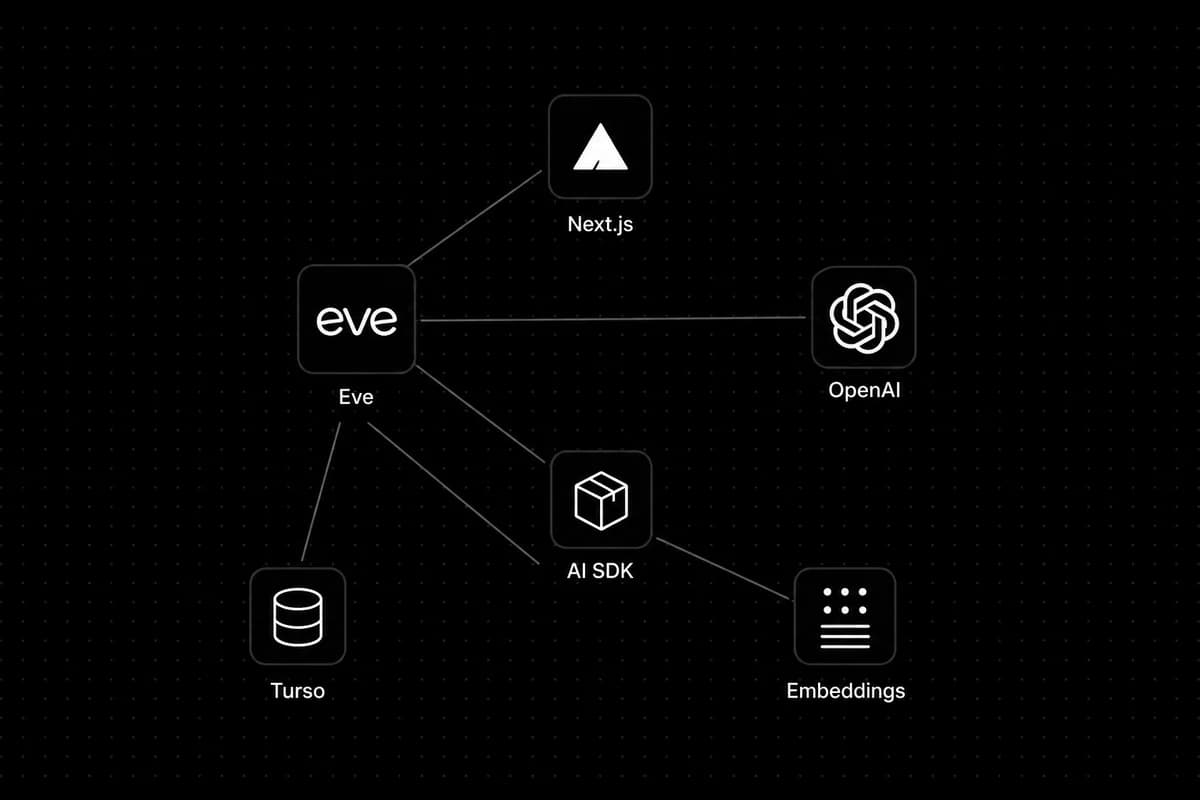
It doesn't have to be that way. With LibSQL's built-in vector search — local or hosted via Turso — the AI SDK's embed / embedMany, and a file-based agent framework called Eve, the indexing and search core collapses to roughly 100 lines. Drop two tool files in a folder, write a short instructions file, and the agent discovers them automatically.
In this guide, we'll build a production-ready RAG pipeline that includes:
- 📄 Chunk + embed + store — index documents into Turso (hosted LibSQL; local
file:works too) - 🔍 Vector similarity search — retrieve the most relevant passages at query time
- 🤖 Agent tool calling — the model decides when to search vs. index
- 📎 Source citations — answers cite the corpus, enforced by instructions
- 🔒 PII redaction — sensitive data stripped before embedding
Prerequisites
Before we get started, make sure you have the following:
- Node.js 24.x
- A Next.js project (we use Next.js 16)
- An OpenAI API key
- A Turso account (free tier works for development)
- npm packages:
eve,ai,@ai-sdk/openai,@libsql/client,zod - shadcn/ui for the chat surface (
message,bubble,input-group)
Project Setup
Create a new Next.js app and install dependencies:
npx create-next-app@latest my-rag-app && cd my-rag-app
npm install eve ai @ai-sdk/openai @libsql/client zod lucide-react
Initialize shadcn and pull the chat primitives used by the shadcn chatbot template — keep the UI as simple as those components allow:
npx shadcn@latest init
npx shadcn@latest add message bubble input-group
Create a Turso database
LibSQL works locally too — set LIBSQL_URL=file:knowledge.db and skip the auth token for a zero-setup SQLite file on disk. That's fine for throwaway experiments.
For this project we'll use Turso (hosted LibSQL) so the corpus persists across restarts and deploys the same way it would in production. The @libsql/client code is identical either way.
Install the Turso CLI, sign in, and create a database for your corpus:
curl -sSfL https://get.tur.so/install.sh | bash
turso auth login
turso db create my-rag-corpus
turso db show my-rag-corpus --url
turso db tokens create my-rag-corpus
Copy the database URL and auth token into a .env.local file in your project root:
OPENAI_API_KEY=your_openai_key_here
LIBSQL_URL=libsql://my-rag-corpus-your-org.turso.io
LIBSQL_AUTH_TOKEN=your_turso_auth_token_here
The same @libsql/client SDK talks to Turso over HTTPS — no separate vector DB service like Pinecone or Weaviate.
Wire the agent framework into Next.js. Update next.config.ts:
import { withEve } from "eve/next";
import type { NextConfig } from "next";

const nextConfig: NextConfig = {};

export default withEve(nextConfig);
That's it for configuration — Eve handles the agent dev server, API proxy, and tool discovery.
1. Generate agent/lib/pii.ts: Strip sensitive data before indexing.
Before we embed anything, redact emails, phone numbers, and API keys so they never land in the vector store:
const PATTERNS: [RegExp, string][] = [
  [/[\w.+-]+@[\w-]+\.[\w.-]+/g, "[redacted-email]"],
  [
    /\b(?:\+?\d{1,2}[\s-]?)?(?:\(\d{3}\)|\d{3})[\s-]?\d{3}[\s-]?\d{4}\b/g,
    "[redacted-phone]",
  ],
  [/\b\d{3}-\d{2}-\d{4}\b/g, "[redacted-ssn]"],
  [/\b(?:\d[ -]?){13,16}\b/g, "[redacted-card]"],
  [/\b(?:sk|pk|api|key)[-_][A-Za-z0-9]{16,}\b/g, "[redacted-key]"],
];

export function redactPii(text: string): string {
  return PATTERNS.reduce(
    (acc, [pattern, replacement]) => acc.replace(pattern, replacement),
    text,
  );
}
2. Generate agent/lib/vector-store.ts: The indexing and search core.
This is the heart of the RAG pipeline — chunk text, embed it, store vectors, and search by cosine distance. LibSQL supports vectors natively — locally or on Turso — so there's no separate Pinecone or Weaviate setup. We'll target Turso in this guide.
The schema uses a single table with F32_BLOB(1536) embeddings (matching OpenAI's text-embedding-3-small):
CREATE TABLE docs (
  id INTEGER PRIMARY KEY AUTOINCREMENT,
  source TEXT,
  content TEXT,
  embedding F32_BLOB(1536),
  title TEXT,
  mime_type TEXT,
  updated_at TEXT
);
Now the TypeScript:
import { openai } from "@ai-sdk/openai";
import { createClient } from "@libsql/client";
import { embed, embedMany } from "ai";

import { redactPii } from "./pii";

const url = process.env.LIBSQL_URL!;
const authToken = process.env.LIBSQL_AUTH_TOKEN;

// Remote Turso URLs require an auth token; local `file:` URLs do not.
const db = createClient(authToken ? { url, authToken } : { url });
const embeddingModel = openai.embedding("text-embedding-3-small");

export function chunkText(text: string, size = 1000, overlap = 200): string[] {
  const out: string[] = [];
  for (let i = 0; i < text.length; i += size - overlap) {
    const slice = text.slice(i, i + size).trim();
    if (slice) out.push(slice);
  }
  return out;
}

let schemaReady: Promise<void> | undefined;

async function ensureSchema() {
  if (!schemaReady) {
    schemaReady = db
      .execute(
        "CREATE TABLE IF NOT EXISTS docs (id INTEGER PRIMARY KEY AUTOINCREMENT, source TEXT, content TEXT, embedding F32_BLOB(1536), title TEXT, mime_type TEXT, updated_at TEXT)",
      )
      .then(() => {});
  }
  await schemaReady;
}

export async function indexDoc(doc: {
  source: string;
  content: string;
  title?: string;
  mimeType?: string;
}): Promise<number> {
  await ensureSchema();

  const redacted = redactPii(doc.content).trim();
  if (!redacted) return 0;

  const chunks = chunkText(redacted);
  if (!chunks.length) return 0;

  const { embeddings } = await embedMany({
    model: embeddingModel,
    values: chunks,
  });

  const updatedAt = new Date().toISOString();

  // Replace-by-source: re-indexing deletes old chunks first (no duplicates).
  await db.batch([
    { sql: "DELETE FROM docs WHERE source = ?", args: [doc.source] },
    ...chunks.map((chunk, i) => ({
      sql: "INSERT INTO docs (source, content, embedding, title, mime_type, updated_at) VALUES (?, ?, vector32(?), ?, ?, ?)",
      args: [
        doc.source,
        chunk,
        JSON.stringify(embeddings[i]),
        doc.title ?? null,
        doc.mimeType ?? null,
        updatedAt,
      ],
    })),
  ]);

  return chunks.length;
}

export async function searchDocs(query: string, topK: number) {
  await ensureSchema();
  const { embedding } = await embed({ model: embeddingModel, value: query });
  const result = await db.execute({
    sql: "SELECT source, content, title, vector_distance_cos(embedding, vector32(?)) AS distance FROM docs ORDER BY distance ASC LIMIT ?",
    args: [JSON.stringify(embedding), topK],
  });
  return result.rows.map((row) => ({
    source: String(row.source),
    content: String(row.content),
    title: row.title == null ? null : String(row.title),
    distance: Number(row.distance),
  }));
}
The client handles both modes: local file:knowledge.db (no token) for quick experiments, or a Turso URL with LIBSQL_AUTH_TOKEN for a corpus that survives restarts and deploys. This project uses Turso.
Three design choices worth calling out:
- Replace-by-source — each document is keyed by
source. Re-indexing deletes old chunks before inserting new ones, so you never get duplicates. - Turso native vectors —
F32_BLOB(1536)columns withvector32()andvector_distance_cos()on hosted LibSQL. One database for storage and similarity search, edge-replicated when you deploy. - PII redaction at index time — sensitive patterns are stripped before chunking and embedding, not after retrieval.
3. Generate agent/tools/search_knowledge.ts: Expose search as an agent tool.
Eve auto-discovers every file in agent/tools/ — no manual registration. Drop in a tool file and the agent can call it:
import { defineTool } from "eve/tools";
import { never } from "eve/tools/approval";
import { z } from "zod";

import { redactPii } from "../lib/pii";
import { searchDocs } from "../lib/vector-store";

export default defineTool({
  approval: never(),
  description:
    "Searches the internal knowledge corpus and returns the most relevant passages (with PII redacted), titles, sources, and distance scores.",
  inputSchema: z.object({
    query: z.string(),
    topK: z.number().min(1).max(10).default(5),
  }),
  async execute({ query, topK }) {
    const hits = await searchDocs(query, topK);
    return {
      results: hits.map((row) => ({
        content: redactPii(row.content),
        source: row.source,
        title: row.title,
        distance: row.distance,
      })),
    };
  },
});
approval: never() means this is read-only — the agent searches without prompting the user.
4. Generate agent/tools/index_document.ts: Let the agent add documents from chat.
When a user pastes text in the conversation, the agent can index it on the fly:
import { defineTool } from "eve/tools";
import { never } from "eve/tools/approval";
import { z } from "zod";

import { indexDoc } from "../lib/vector-store";

export default defineTool({
  approval: never(),
  description:
    "Adds a document to the knowledge corpus by chunking and embedding it.",
  inputSchema: z.object({
    source: z.string().min(1),
    content: z.string().min(1),
    title: z.string().optional(),
  }),
  async execute({ source, content, title }) {
    const chunks = await indexDoc({
      source,
      content,
      title,
      mimeType: "text/plain",
    });
    return { chunks, source };
  },
});
5. Generate agent/agent.ts: Define the agent.
Six lines. Eve picks up tools and instructions from the agent/ folder automatically:
import { openai } from "@ai-sdk/openai";
import { defineAgent } from "eve";

export default defineAgent({
  model: openai("gpt-5.6-sol"),
});
6. Generate agent/instructions.md: Tell the agent how to use retrieval.
This is where citations and corpus-first behavior come from — no custom UI logic required:
You are a knowledge assistant over an indexed document corpus.

1. Call `search_knowledge` first — the corpus is the source of truth.
2. Answer from retrieved passages. Cite sources inline like `[title](source)`.
3. If search is weak, refine the query and search again.
4. If the corpus lacks coverage, say so — do not invent facts.
5. Use `index_document` when the user pastes text to add to the corpus.
The model reads these instructions on every turn. Citations like [Onboarding Guide](wiki/onboarding) come from the agent following rule 2, not from a separate citation renderer.
7. Generate app/page.tsx: Wire up a simple shadcn chat UI.
Use the same building blocks as the shadcn chatbot template — Message, Bubble, and InputGroup — with Eve's useEveAgent hook for streaming and tool calls. No custom chrome; the components do the layout work:
"use client";

import { useState } from "react";
import { ArrowUpIcon } from "lucide-react";
import { useEveAgent } from "eve/react";

import { Bubble, BubbleContent } from "@/components/ui/bubble";
import { Message, MessageContent } from "@/components/ui/message";
import {
  InputGroup,
  InputGroupAddon,
  InputGroupButton,
  InputGroupTextarea,
} from "@/components/ui/input-group";

export default function Home() {
  const agent = useEveAgent();
  const [input, setInput] = useState("");

  const isBusy = agent.status === "submitted" || agent.status === "streaming";
  const messages = agent.data.messages;

  function handleSubmit(event?: React.FormEvent) {
    event?.preventDefault();
    const text = input.trim();
    if (!text || isBusy) return;
    setInput("");
    void agent.send({ message: text });
  }

  return (
    <div className="mx-auto flex h-svh w-full max-w-2xl flex-col">
      <div className="flex-1 space-y-6 overflow-y-auto px-6 py-6">
        {messages.map((message) =>
          message.role === "user" ? (
            <Message key={message.id} align="end">
              <MessageContent>
                <Bubble align="end" variant="muted">
                  <BubbleContent>
                    {message.parts
                      .filter((part) => part.type === "text")
                      .map((part) => part.text)
                      .join("")}
                  </BubbleContent>
                </Bubble>
              </MessageContent>
            </Message>
          ) : (
            <Message key={message.id} align="start">
              <MessageContent>
                {message.parts.map((part, i) =>
                  part.type === "text" ? (
                    <p className="px-1.5 leading-relaxed" key={i}>
                      {part.text}
                    </p>
                  ) : null,
                )}
              </MessageContent>
            </Message>
          ),
        )}
        {agent.status === "submitted" && (
          <p className="px-3 text-muted-foreground text-sm">Thinking…</p>
        )}
      </div>

      <form className="px-6 pb-6" onSubmit={handleSubmit}>
        <InputGroup>
          <InputGroupTextarea
            className="p-3.5"
            onChange={(event) => setInput(event.target.value)}
            onKeyDown={(event) => {
              if (
                event.key === "Enter" &&
                !event.shiftKey &&
                !event.nativeEvent.isComposing
              ) {
                event.preventDefault();
                handleSubmit();
              }
            }}
            placeholder="Ask a question or paste a document to index…"
            value={input}
          />
          <InputGroupAddon align="block-end">
            <InputGroupButton
              aria-label="Send message"
              className="ml-auto"
              disabled={!input.trim() || isBusy}
              size="icon-sm"
              type="submit"
              variant="default"
            >
              <ArrowUpIcon />
            </InputGroupButton>
          </InputGroupAddon>
        </InputGroup>
      </form>
    </div>
  );
}
User messages land in a muted Bubble; assistant replies stay plain text on the left. The composer is a single InputGroup with a send button — same shape as the chatbot template, minus model switching and tool-part cards.
Key Features Explained
Indexing pipeline
indexDoc runs a straight line: redact PII → chunk into ~1000-character windows with 200-character overlap → batch-embed with embedMany → replace-by-source insert into Turso. One function call indexes an entire document.
Vector search
searchDocs embeds the user's question, then runs cosine distance against every stored chunk. Turso's vector_distance_cos handles the math — you get ranked passages back with source metadata and distance scores.
Tool calling
The agent decides when to call search_knowledge (answer a question) vs. index_document (user pasted new content). You don't write routing logic — the model picks the tool based on the conversation and your instructions.
Source citations
Enforced by instructions.md, not custom UI. The agent is told to cite inline as [title](source). Add markdown rendering later if you want clickable links.
Replace-by-source
Each document is keyed by a source string (a filename, URL, or slug). Re-indexing the same source deletes old chunks first, so edits never produce duplicates.
Running Your RAG App
Start the development server:
npm run dev
Visit http://localhost:3000 and try two flows:
- Index — paste a document into chat (e.g. your team's onboarding guide). The agent calls
index_document, chunks it, and confirms how many passages were stored. - Search — ask a question about the content you just indexed. The agent calls
search_knowledge, retrieves relevant passages, and answers with inline citations.
You now have a working RAG system with:
- ✅ Hosted Turso vector store (persists across deploys)
- ✅ Automatic chunking and embedding
- ✅ Agent-driven search and indexing
- ✅ Source citations from instructions
- ✅ PII redaction at index time
Extending Your RAG App
The ~100 lines above cover indexing and search. Here are natural next steps:
Ingest API
Add a Next.js API route that accepts file uploads, pasted text, or URLs — then calls indexDoc. This decouples indexing from the chat conversation.
URL fetch tool
Give the agent a fetch_and_index tool that downloads a public URL, extracts the main text, and indexes it. Useful when a user says "add this blog post to the corpus."
Resources browser
Build a /resources page that lists indexed documents, shows chunk previews, and supports delete/re-index. Chat answers questions; a corpus browser makes it feel like a knowledge base.
Conclusion
Building RAG used to mean orchestrating half a dozen services before you could ask a question. Now the indexing and search core fits in ~100 lines: chunk, embed, store, and query with Turso's native vector search and the AI SDK. An agent framework handles tool discovery, streaming, and Next.js integration — and a handful of shadcn chat primitives cover the UI without a custom design system.
The combination of hosted LibSQL vectors, file-based agent tools, instruction-driven citations, and a simple chatbot-template UI makes it genuinely faster to ship a knowledge assistant that answers from your data — and survives a production deploy.
Ready to go further? Add file upload ingest, a URL fetch tool, and a Resources page to turn your RAG chatbot into a full internal knowledge base.